VMStore
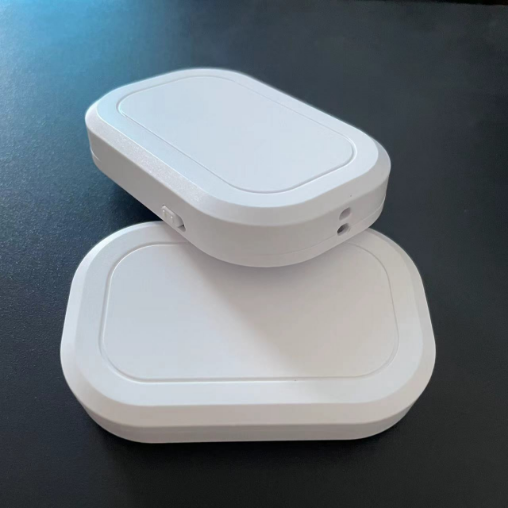
GPS Assisted Test Tool - TS07
GPS Assisted Test Tool - TS07
ไม่สามารถโหลดความพร้อมในการรับสินค้าด้วยตนเองได้
How to Use TS07
1. Download the companion app from the Apple App Store: VMLocation (定位宝贝 in Chinese).
2. In your iPhone or iPad system settings, open Bluetooth and connect TS07M.
3. Open the app and connect TS07 inside the app.
4. Start location simulation.
Compatibility: Supports iPhone and iPad devices running iOS 15 or later. This product is intended for technical testing, software development, and location research only.
Control Your iPhone's GPS Location for Testing & Exploration
Want to explore how GPS coordinates work on your iPhone? Our Bluetooth GPS Test Tool is designed for personal testing, software development, and location-based research. This device allows you to simulate different GPS locations for testing purposes without physically moving.
Key Features:
✅ Location Simulation: Test GPS-based applications by setting a virtual location within a 15-kilometer range.
✅ Global Positioning Testing: Use the companion app to simulate locations worldwide for software and development purposes.
✅ Easy Connection: Connect seamlessly via Bluetooth—no complex installation required.
✅ Privacy & Security: Your actual location remains private during testing.
✅ Broad Compatibility: Works with all Bluetooth-enabled iPhone devices.
Important Notice:
This product is strictly intended for personal testing, development, and research purposes. Any use of this device for unauthorized activities, such as violating the terms of service of third-party applications or circumventing geographic restrictions, is strictly prohibited. The manufacturer and seller bear no responsibility for any misuse of the product. Users are solely responsible for ensuring compliance with all applicable laws and regulations.
In addition, because it is cross-border, this product does not support returns and refunds.
แบ่งปัน